
On this page
Top picks at a glance
As an Amazon Associate I earn from qualifying purchases.
- 1
 Joyberg 150 Labels 6 by 49.7/10View on Amazon
- 2
 SmartLabels QR Code Labels9.6/10View on Amazon
- 3
 yeestone 44 Clear Pockets9.6/10View on Amazon
- 4
 BESARME 36 Clear Pockets9.6/10View on Amazon
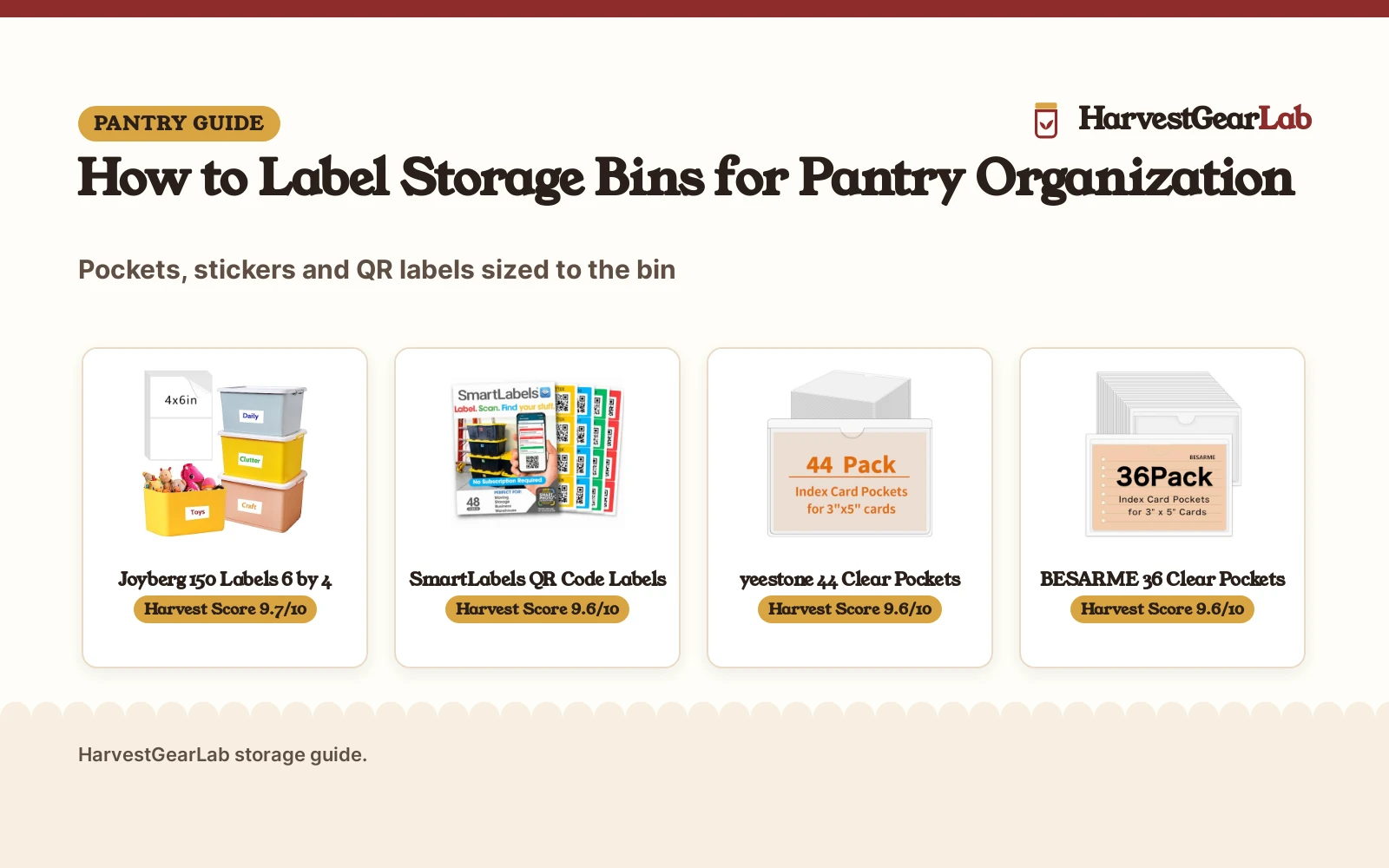
How to label storage bins starts with a pantry shelf where every bin looks the same from the front. A clear label on the front of each bin names what is inside, so you grab the right bin without opening it or guessing. This guide walks through the sort, the label style and the wording, then lines up label options sized for pantry bins.
HarvestGearLab earns a commission when you buy through links on this page, at no extra cost to you. As an Amazon Associate I earn from qualifying purchases. Affiliate disclosure.
| # | Product | Harvest Score | Buy |
|---|---|---|---|
| 1 | Joyberg 150 Labels 6 by 4 | 9.7/10 | Buy on Amazon |
| 2 | SmartLabels QR Code Labels | 9.6/10 | Buy on Amazon |
| 3 | yeestone 44 Clear Pockets | 9.6/10 | Buy on Amazon |
| 4 | BESARME 36 Clear Pockets | 9.6/10 | Buy on Amazon |

Joyberg 150 Labels 6 by 4
A 150-label pack of matte white 6 by 4 inch stickers with a removable adhesive that leaves no residue, made for bins, containers and buckets.
Pros
- 150 labels on 75 sheets, the largest count here, at 6 by 4 inches with room to write
- Matte white surface takes a ballpoint pen or a permanent marker
- Removable adhesive leaves no residue on glass, metal and flat, smooth surfaces
Cons
- Not recommended for rough surfaces, where it can leave sticky marks
- Labels must be cut to size before use
- Large 6 by 4 inch size suits big bins better than small drawer fronts

SmartLabels QR Code Labels
A 48-label set of 2.5 by 2.5 inch color-coded QR code stickers in 4 colors, with an app that catalogs bin contents from a photo and finds items by search.
Pros
- QR codes plus an app turn a photo of bin contents into a catalog, with search to find items
- 48 labels in 4 colors for color-coded sorting
- Scanning and adding images and descriptions is free for life, with no subscription required
Cons
- Needs a phone and the app to catalog and search
- Small 2.5 by 2.5 inch size leaves little room for handwriting
- Export to PDF and CSV needs the optional Pro Plan

yeestone 44 Clear Pockets
A 44-pack of clear adhesive pockets sized 3.7 by 5.3 inches for 3 by 5 inch cards, with a top opening and a semicircle cutout for easy card swaps.
Pros
- 44 clear pockets sized 3.7 by 5.3 inches fit 3 by 5 inch cards, so the label stays readable without opening the bin
- Top opening with a semicircle cutout makes card swaps quick
- Clear pockets resist water, dust and fingerprints
Cons
- Adhesive needs a flat and clean surface, so a dusty bin wall must be wiped first
- 44 pockets cover fewer bins than the 150-label pack here
- No warranty term is stated
BESARME 36 Clear Pockets
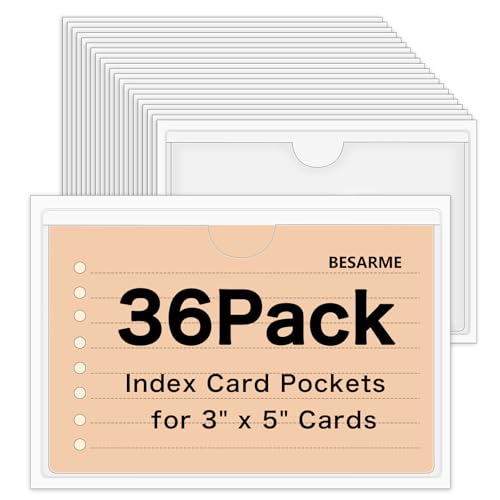
A 36-pack of clear PVC adhesive pockets sized 3.7 by 5.3 inches for 3 by 5 inch cards, with a top opening and a removable adhesive.
Pros
- 36 clear PVC pockets sized 3.7 by 5.3 inches fit 3 by 5 inch cards
- Top opening lets cards slide in and out without peeling the pocket off
- Removable adhesive leaves no glue marks when peeled off
Cons
- 36 pockets is the smallest count here
- Clear PVC should stay out of high temperature spots
- No warranty term is stated
As an Amazon Associate I earn from qualifying purchases.
How to label storage bins: the short version
Sort the bin first, then pick a label that fits the bin front, then write the contents in plain words, then stick the label where eyes land. Each step is quick on its own, and together they keep the pantry readable for the whole season.
- Sort before you label: empty the bin, group what belongs together, and keep only what the bin is for, so the label names one clear group.
- Pick the label style: pockets hold a card you can swap, stickers take handwriting, and QR labels pair with a phone app that catalogs the contents.
- Write it plain: use the food name and nothing fancy, large enough to read from the shelf edge.
- Stick it where eyes land: center the label on the front face, level and flat, where you look when you reach for the bin.
Pick the label style that fits the bin
Bin fronts vary, so the label has to match the surface and the size. Clear pockets suit bins that change contents often, since the card slides out and a new one slides in. Matte stickers suit bins that hold the same group all season, since the writing stays put. QR stickers suit a big store of bins, since the app finds the contents by search instead of by sight. Our types of storage containers guide covers the bins themselves, and the size of storage bins guide helps match a bin to the shelf.
| Label | Size | Count | Suits | Amazon |
|---|---|---|---|---|
| Joyberg removable labels | 6 by 4 inches | 150 labels | Big bins and handwriting | |
| SmartLabels QR stickers | 2.5 by 2.5 inches | 48 labels | App catalog and search | |
| yeestone clear pockets | 3.7 by 5.3 inches | 44 pockets | 3 by 5 inch cards | |
| BESARME clear pockets | 3.7 by 5.3 inches | 36 pockets | 3 by 5 inch cards |
Write the label so it stays readable
Write the contents in plain words, one line for the group and one line for the detail if the bin needs it. Matte white labels take a ballpoint pen or a permanent marker, so the writing stays dark on the white face. Clear pockets take 3 by 5 inch cards, so a card written in large plain letters reads through the clear face. QR labels skip handwriting altogether: the app saves a photo of the contents and a description for each label, and the search tool finds the bin when you need it.
Keep the labels readable all season
Labels earn their keep when they still read clearly months later. Swap the card in a pocket when the bin contents change, instead of writing over the old card. Wipe a dusty pocket face with a dry cloth so the card stays visible. If a sticker edge lifts, press it back down on a clean, dry spot, or move the label to a fresh flat spot on the bin front.
When a bin changes jobs, peel the old label off clean and start fresh: the removable labels and pockets here leave no residue on smooth bin fronts, so the next label sticks to a clean face.
The gear: labels that fit storage bins
Each step above needs a label that fits the bin front and stays readable, so these 4 options cover pockets, stickers and QR codes for pantry bins.
How the Harvest Score played out
The Harvest Score weighs performance, build, value, safety and warranty. For bin labels, performance means the label stays readable and stays put, build means the material and adhesive hold up on bin fronts, and value means the count and size fit the job. No warranty term is stated for any of the 4 labels here, so warranty adds nothing to the ranking. How we pick explains the weights.
FAQ: preserving at home
What size label fits a storage bin?
Match the label to the bin front: 6 by 4 inch stickers suit large bins with room to write, 3 by 5 inch cards in 3.7 by 5.3 inch pockets suit medium bins, and 2.5 by 2.5 inch QR stickers suit small bins where the app carries the detail.
Do clear label pockets hold up on bins?
Yes, the clear pockets here are made to resist water, dust and fingerprints, and the clear PVC face stays readable without opening the bin. Keep them out of high temperature spots, as the maker warns for the BESARME pockets (on Amazon).
Can I move a label after I stick it on a bin?
Yes, the Joyberg labels (on Amazon) peel off without leaving residue, the BESARME pockets use a removable adhesive that leaves no glue marks, and the yeestone pockets (on Amazon) are removable with no residue, so a card pocket can move to another bin when the sort changes.
How do QR code labels help find stored items?
SmartLabels pairs 48 color-coded QR stickers in 4 colors with an app: photograph the contents of a bin, and the app catalogs each item and finds it by search, so you scan a code instead of opening bins.
More preserving guides
See every storage guide and all pantry storage guides.
More picks: label makers, pantry organizer ideas, types of storage containers and size of storage bins.